
GrooveFX · The drum app
DrumFX
Hear it. Write it. Play along.
Drop in an MP3. DrumFX pulls out the drums, writes them down as a score and lets you play along with the band. Fix any bar, or write a part of your own.
Hear a demo song
The screen plays the drum part DrumFX wrote for the song.
What DrumFX does
One song in. Your drum part out.
Then
Practice with the original song.
How DrumFX works
From the song you love to the part you play.
-
Import
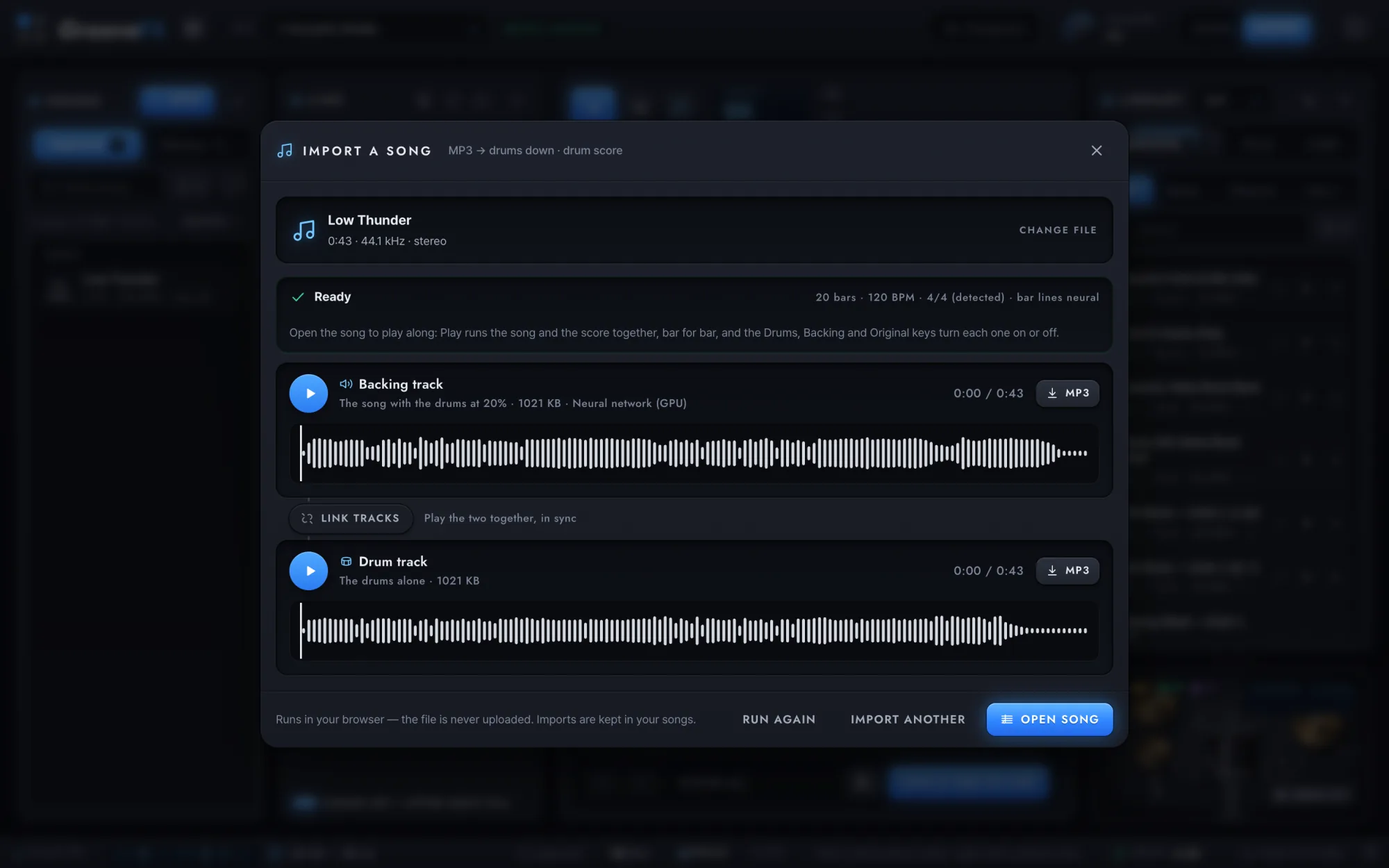
Drop in a song. Get the drums back.
MP3, M4A, WAV, OGG or FLAC. A neural network made for pulling drums out of a mix runs right in your browser. It finds the beats and the bar lines and writes the drum part down. Nothing is uploaded.
-
Play along
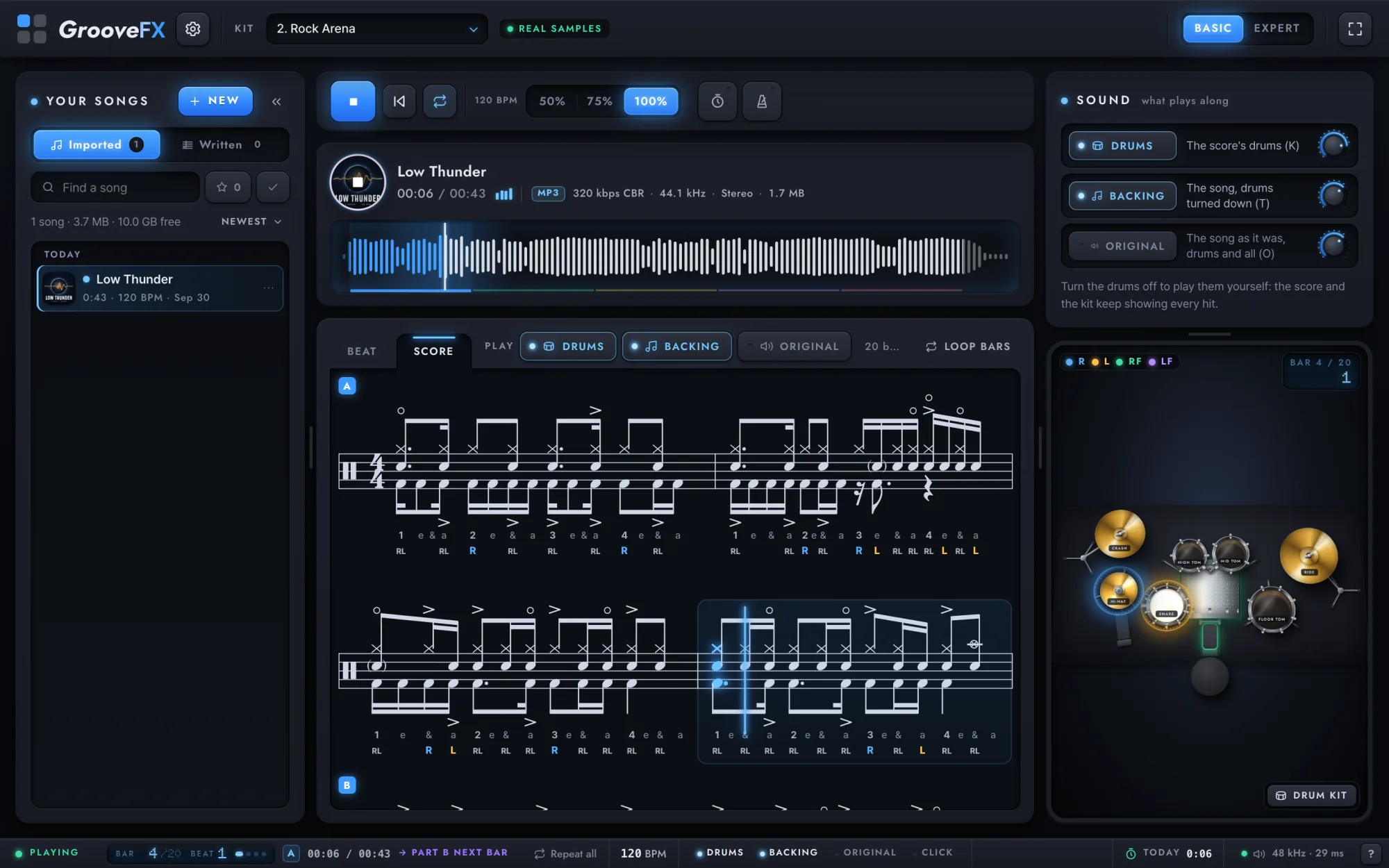
Play along with the band.
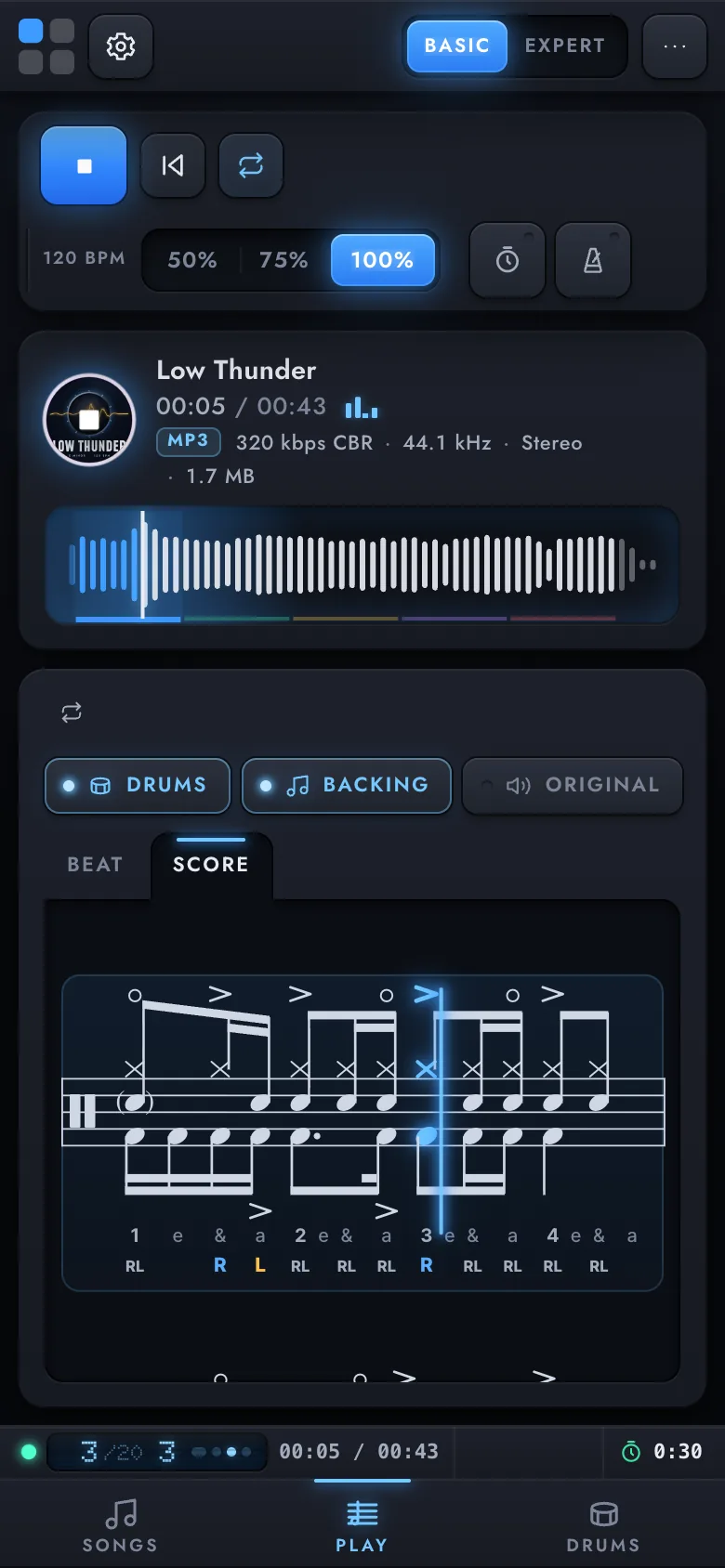
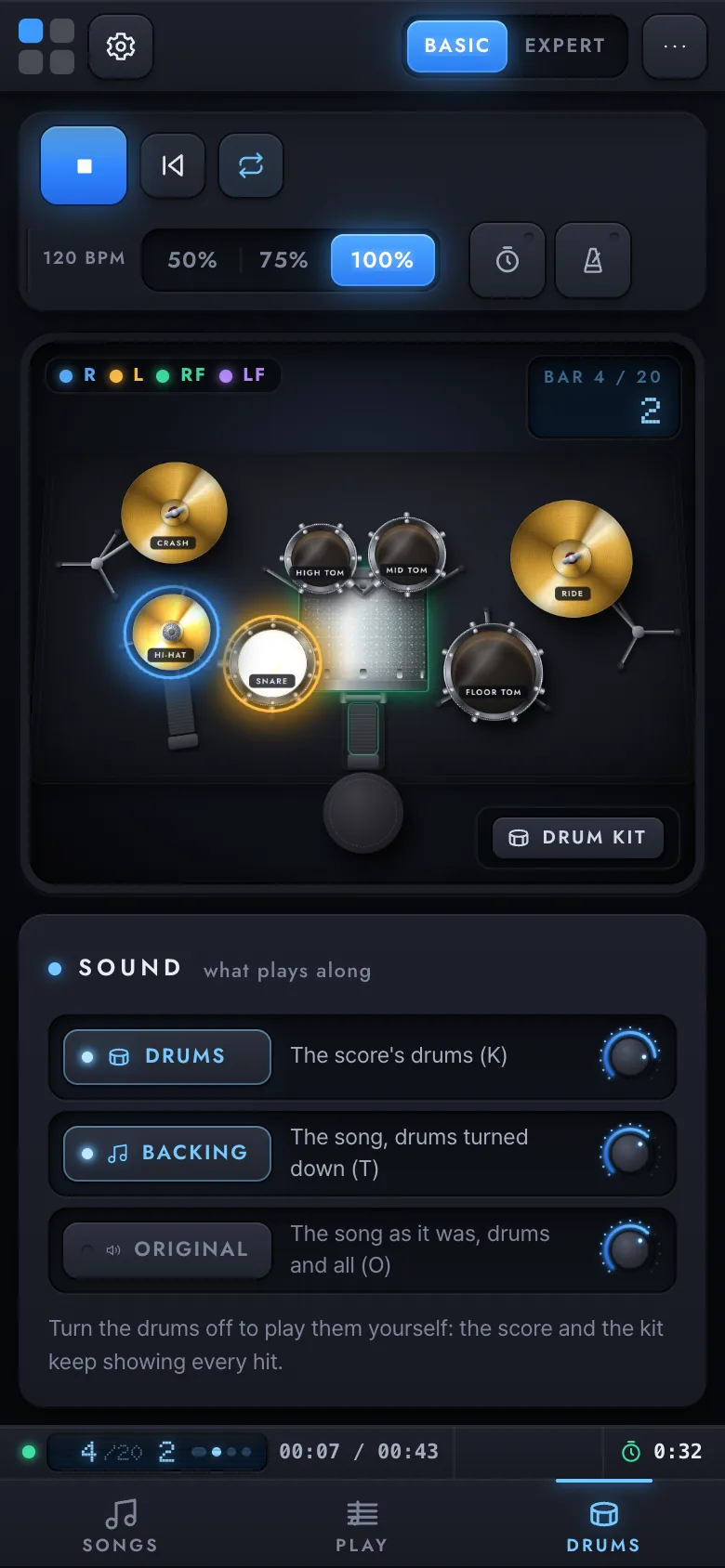
The score follows the recording bar by bar and the kit lights every hit, in the color of the hand or foot that plays it. Switch the drums off and the part is yours. Slow the song to 75% or 50% when a fill gets fast.
-
Edit
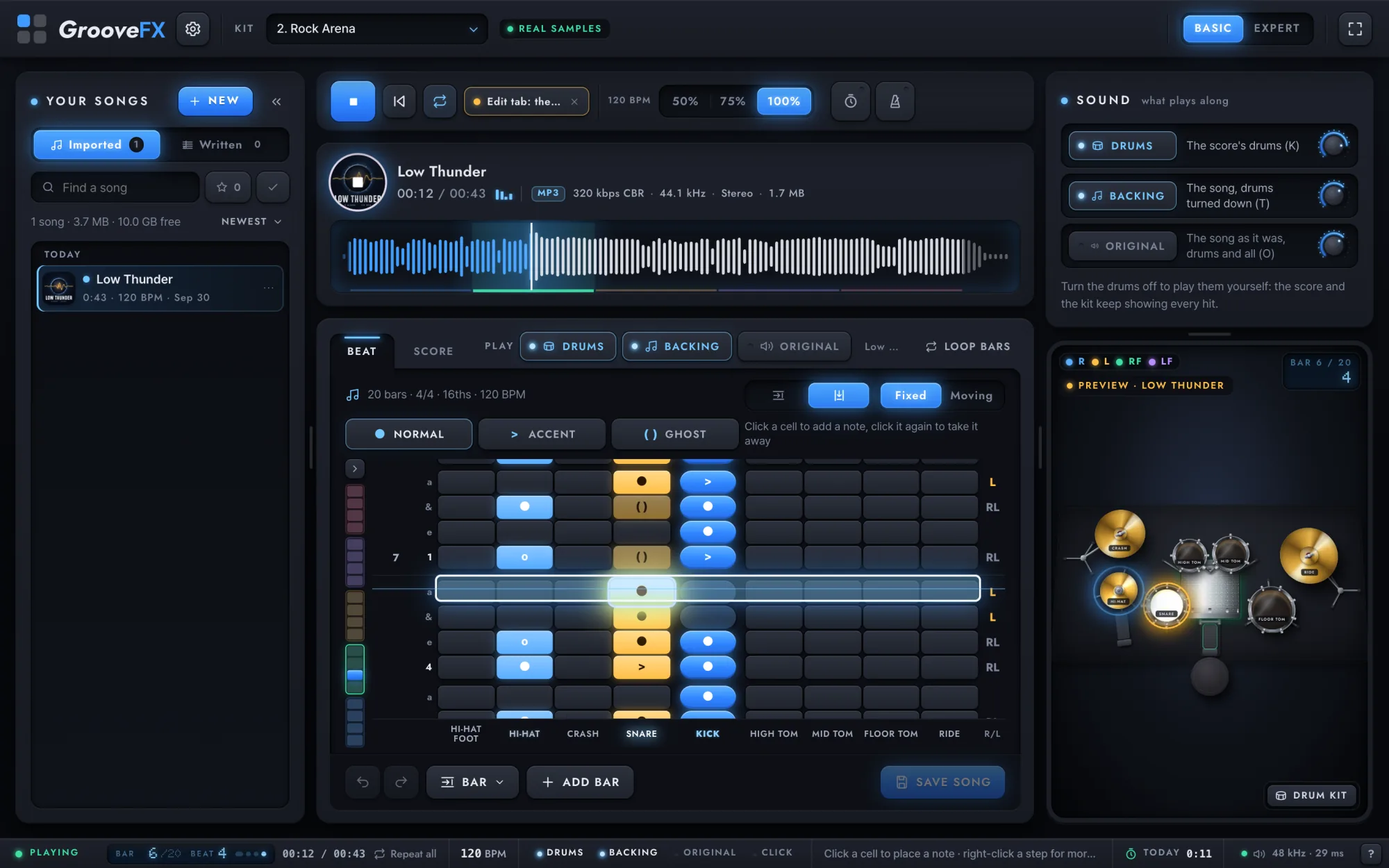
Fix any bar.
The step editor shows the song as beats falling toward you. Tap a step to add or take away a hit, choose Normal, Accent or Ghost, and undo anything with ⌘Z.
-
Grooves & fills
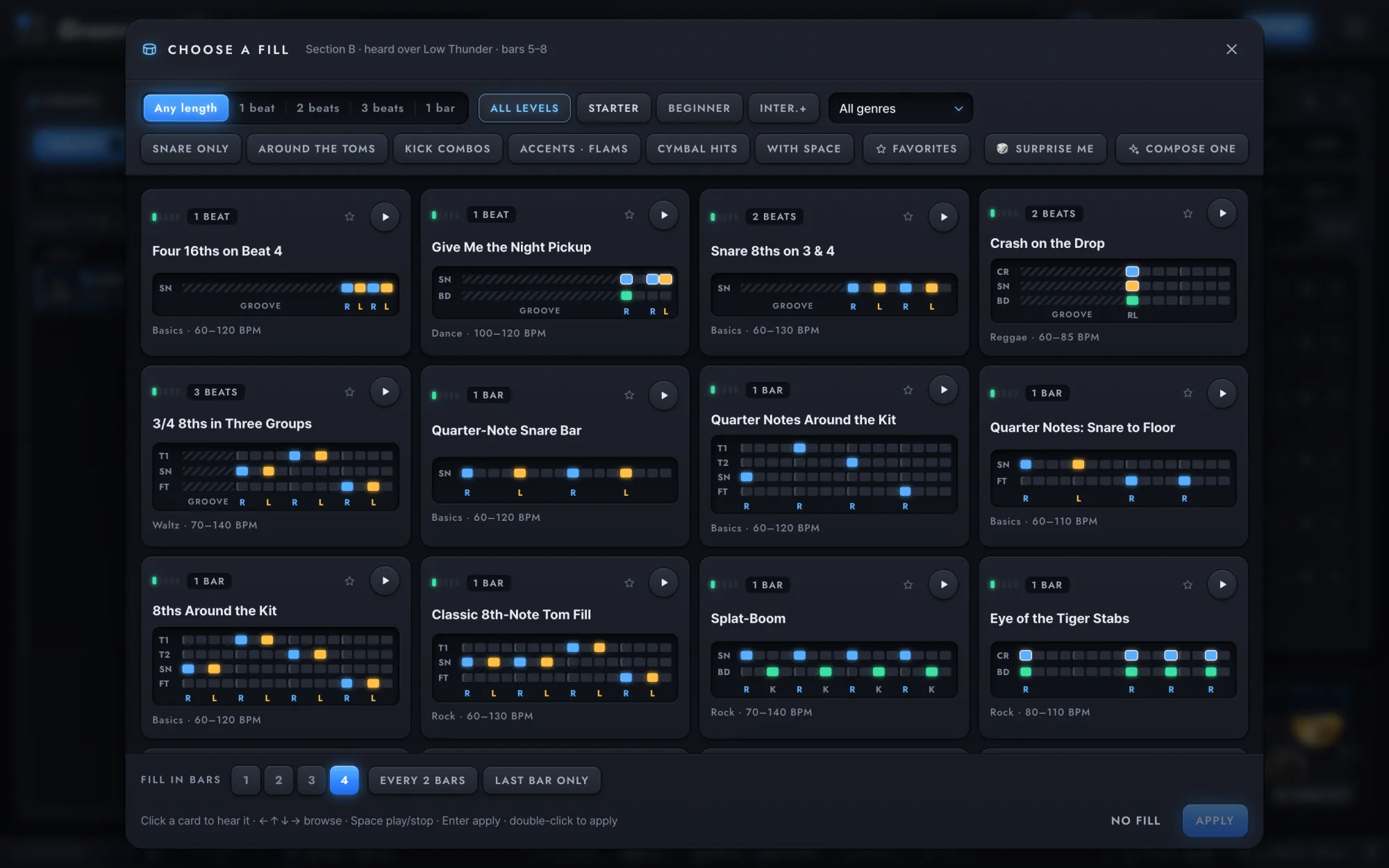
80 grooves. 111 fills.
From first beats to linear fills, each with its sticking. Stack grooves into sections, choose the bars that get a fill, and share the whole line as a link.
-
Compose
Write new grooves.
Ideas makes up six new grooves or fills at a time in 20 styles, from a straight rock beat to bossa nova. Keep the one you like, or ask for more like it.
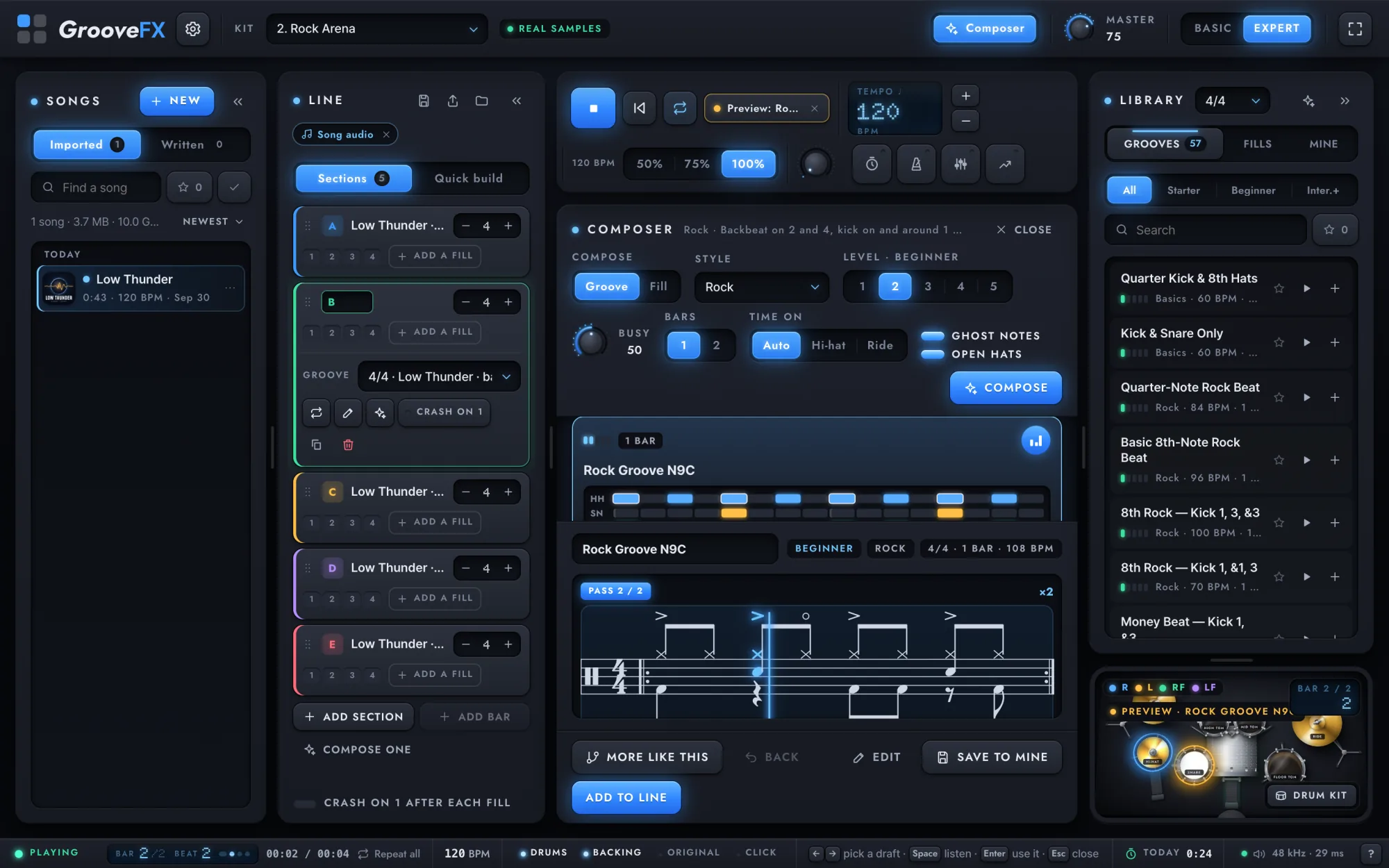
Start in Basic: your songs, the score and the kit. Switch to Expert any time for the library, the line builder, groove and fill ideas and a mixer for every drum. Nothing you made is lost when you switch.
On a phone
Practice anywhere.
The same DrumFX in three tabs: Songs, Play and Drums. Add it to your home screen and it keeps working without a connection.
The intro
See it in 41 seconds.
DrumFX importing a song, pulling its drums out, playing along and rewriting the groove.
 Also from GrooveFX
BeatFX
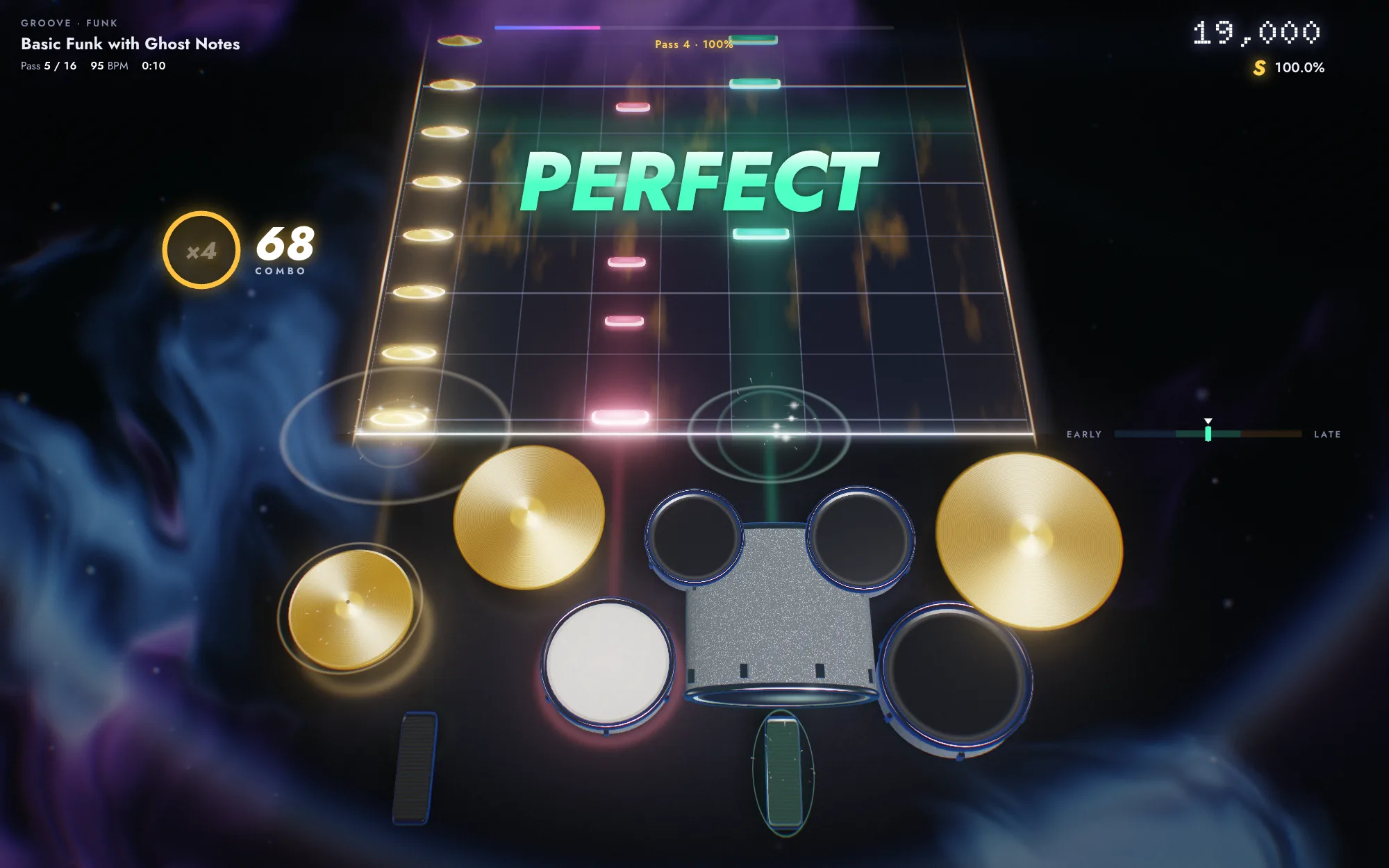
Every song and groove you make in DrumFX turns up in BeatFX, the drum beat game. Play it there, and every hit is judged.
How BeatFX plays
Also from GrooveFX
BeatFX
Every song and groove you make in DrumFX turns up in BeatFX, the drum beat game. Play it there, and every hit is judged.
How BeatFX plays
Pick a song. Press play.
Free, with no sign-up. The songs you import stay on your device.